Updates
XCP-hl and XOA-hl both update in place from signed packages, without reinstalling for routine package updates. The host (XCP-hl) updates from Xen Orchestra’s Patches tab, the same way stock XCP-ng does. The appliance (XOA-hl) updates from its own XOA-HL Updates settings page.
Both halves of this page follow the same outline: the steps in Xen Orchestra, the command-line equivalent, how it works underneath, and how to roll back.
Updating XCP-hl (the hypervisor host)
xoa-image-20261022-a280852, package v5.113.2_e281c536-ce40 (Xen Orchestra 5.113.2). Based on the released code; installing host packages and rebooting have not yet been tested on a lab system with this version.In Xen Orchestra
See that updates are waiting. In
Home > Hosts, a host with pending updates shows a red badge with the number of missing patches.
Open the host’s Patches tab. Select the host, then Patches. The tab lists each package with its name, description, version, release and download size; the eye icon on a row shows its RPM changelog. The pool-level view,
Home > Pools > <pool> > Patches, lists the pool master’s missing packages; check each host separately before a pool-wide action.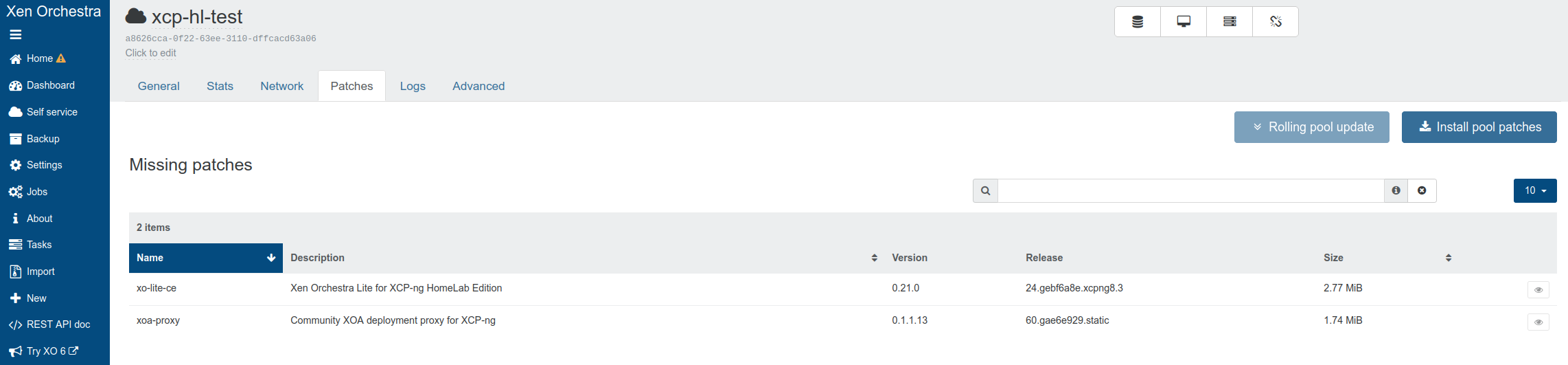
Choose the intended scope. On the host’s Patches tab, Install all patches targets that host. On the pool’s Patches tab, Install pool patches targets all pool hosts, starting with the master. Check the host and pool identities before confirming either action.
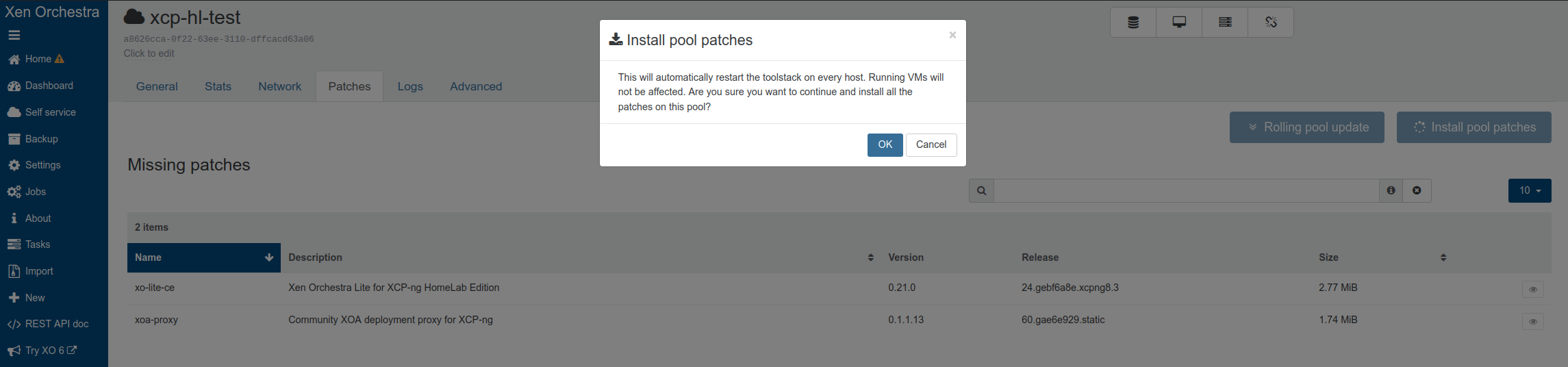 Neither button selects individual XCP-ng packages. For each selected host,
updater.pyruns oneyum updateover the enabled stock XCP-ng and XCP-hl repositories, so pending stock updates are included. This is a combined package operation, not an atomic rollback guarantee. The pool action processes hosts one at a time, master first; it does not evacuate VMs or reboot hosts for you. To update selected XCP-hl packages only, use the separate command-line path below.Wait for the task and refresh the host connection. In this XO version, the button calls the host’s updater plugin, then restarts the XAPI agent on the selected host after installation. A transient host disconnect can occur. This step does not call the XOA-HL appliance updater or restart
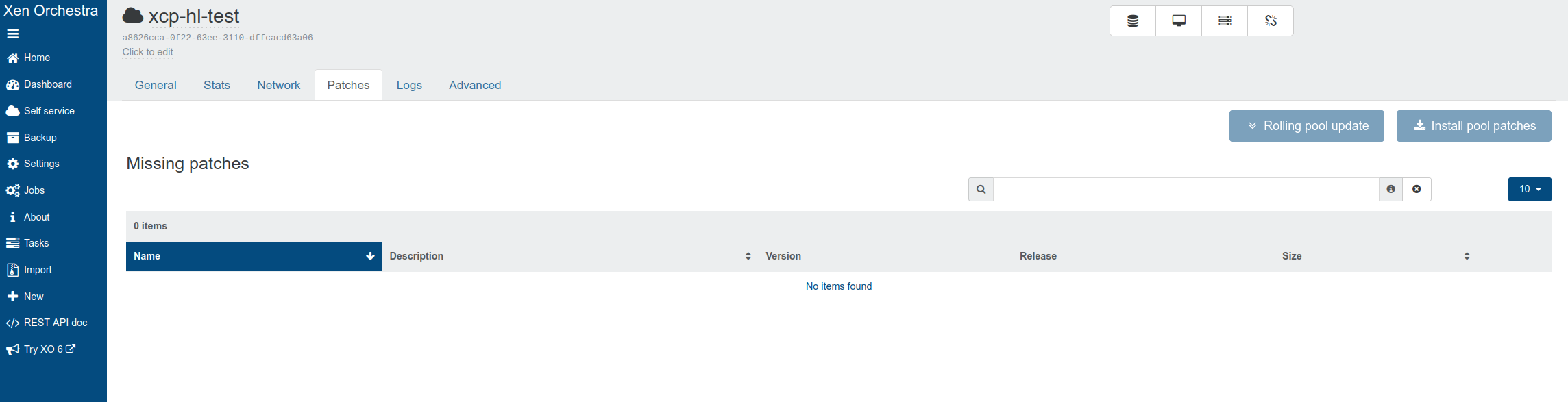
xo-server. Preserve an error and inspect the host from an independent console before retrying if the connection does not recover.Verify the result. Refresh the intended host and pool inventory, task result, package/version list, missing-patch count and reboot-required indication. A disappearing badge alone does not establish that the host rebooted or that guests and storage are healthy.
Test a host update on a single-host lab pool
Run your first host update on a lab pool you can rebuild, not on a pool you depend on. A single-host test does not show how a multi-host pool behaves during an update.
Before you start
- Use a single-host lab pool whose release you know, with no ordinary VMs, no running backup task, no HA, and no XOA-HL appliance running on that host.
- Keep a separate host console, a host and network recovery plan, and a separate XOA-HL connection.
- Book an approved window for the whole package set (stock and HomeLab). Decide on the reboot separately.
- Record the image, package and XO versions above, the host and pool UUIDs, the master, the management address, the installed package versions, the enabled repository IDs, the host’s power and enabled state, and the exact list of pending packages. On the host console, run
yum check-updateand compare it with the Patches tab. Stop if the check fails or the list is unexpected.yum check-updatecan return status 100 when updates exist; that is normal. - In the XOA-HL browser, open
/#/hosts/<host-id>/patches, select Install all patches, check the host and confirm once. Selecting a row does not limit the update to that package. Record the task ID, its start and end times, and any output or error. Do not click again during a temporary disconnect, and do not start a command-line update at the same time. - When the task ends, compare with your notes, using the separate console and the refreshed XOA-HL inventory: installed versions, remaining patches, host reachability, enabled and power state, management network and SR attachments. If the task failed or the connection did not come back, keep the logs and the actual package state. A partial update needs the host owner’s recovery or rebuild plan: do not assume it was rolled back.
- If the UI says a reboot is required, plan a separate, approved reboot while the pool is empty. Check that no VM or backup task has appeared, then select Reboot to apply updates once on the host’s Patches tab. Do not accept any prompt to force the reboot or bypass a blocked suspend, a backup or a version check. Wait for the host on the separate console, then check the XOA-HL connection, packages, reboot indication, network and SRs again. If the button or task behaves unexpectedly, stop and record it. Do not force a second reboot.
Check: the host is reachable, its packages match the expected versions, no patches remain and no reboot is pending. Keep the package lists from before and after, the task and console output, any exact error, the reboot decision and the final connectivity. Interrupted installs, recovery and availability in a production or multi-host pool are not covered here. Host maintenance and evacuation is a separate task with a running test VM; the patch button does not do it.
From the command line
On the host:
yum check-update                   # what is available
yum update xcp-hl-release          # the repository configuration itself
yum update xo-lite-ce xoa-proxy    # only the XCP-hl packages
yum update                         # everything, as the Patches tab does
How it works
XCP-ng ships an XAPI plugin, updater.py, that Xen Orchestra asks for the
list of available updates. XOA-hl is patched to include the XCP-hl
repositories in that request, which is why XCP-hl packages appear next to
the stock XCP-ng ones.
The repositories are defined in a single file,
/etc/yum.repos.d/xcp-hl.repo, owned by the xcp-hl-release package:
| Repository ID | Contents | Published from |
|---|---|---|
xcp-hl-base | xcp-hl-release | xcp-hl |
xcp-hl-xolite | xo-lite-ce | xolite-ce |
xcp-hl-xoa-proxy | xoa-proxy | xoa-proxy |
updater.py, which lists updates only for the
repositories it was told about. A renamed section raises no error, its
packages just silently disappear from the Patches tab.Repository settings are delivered as a package so changes can reach an installed host, rather than relying on a file copied once.
A change to them reaches your host through yum update xcp-hl-release.
First-time setup on an existing host
Hosts installed from an ISO that predates the xcp-hl-release package
need a one-time bootstrap. Afterwards, yum manages the configuration.
curl -L -o /etc/yum.repos.d/xcp-hl.repo \
  https://vagrantin.github.io/xcp-hl/xcp-hl.repo

rpm --import https://vagrantin.github.io/xcp-hl/xcp-ng-ce-public.asc

yum clean all
yum install xcp-hl-release
Installing the package replaces the file you just downloaded with the
packaged copy, keeping yours as xcp-hl.repo.rpmorig. The two differ only
in where they read the signing key from: the downloaded copy fetches it
over HTTPS, the packaged copy uses the local key the package installs.
Newer ISOs already include xcp-hl-release, so this step does not apply
to them.
Rolling back
Each repository publishes only its most recent releases, which bounds how far back you can go. To return to an earlier build:
yum --showduplicates list xo-lite-ce
yum downgrade xo-lite-ce-<version>
Updating XOA-hl (the administration UI)
In Xen Orchestra
Open the update page. In the XOA-hl web UI, go to
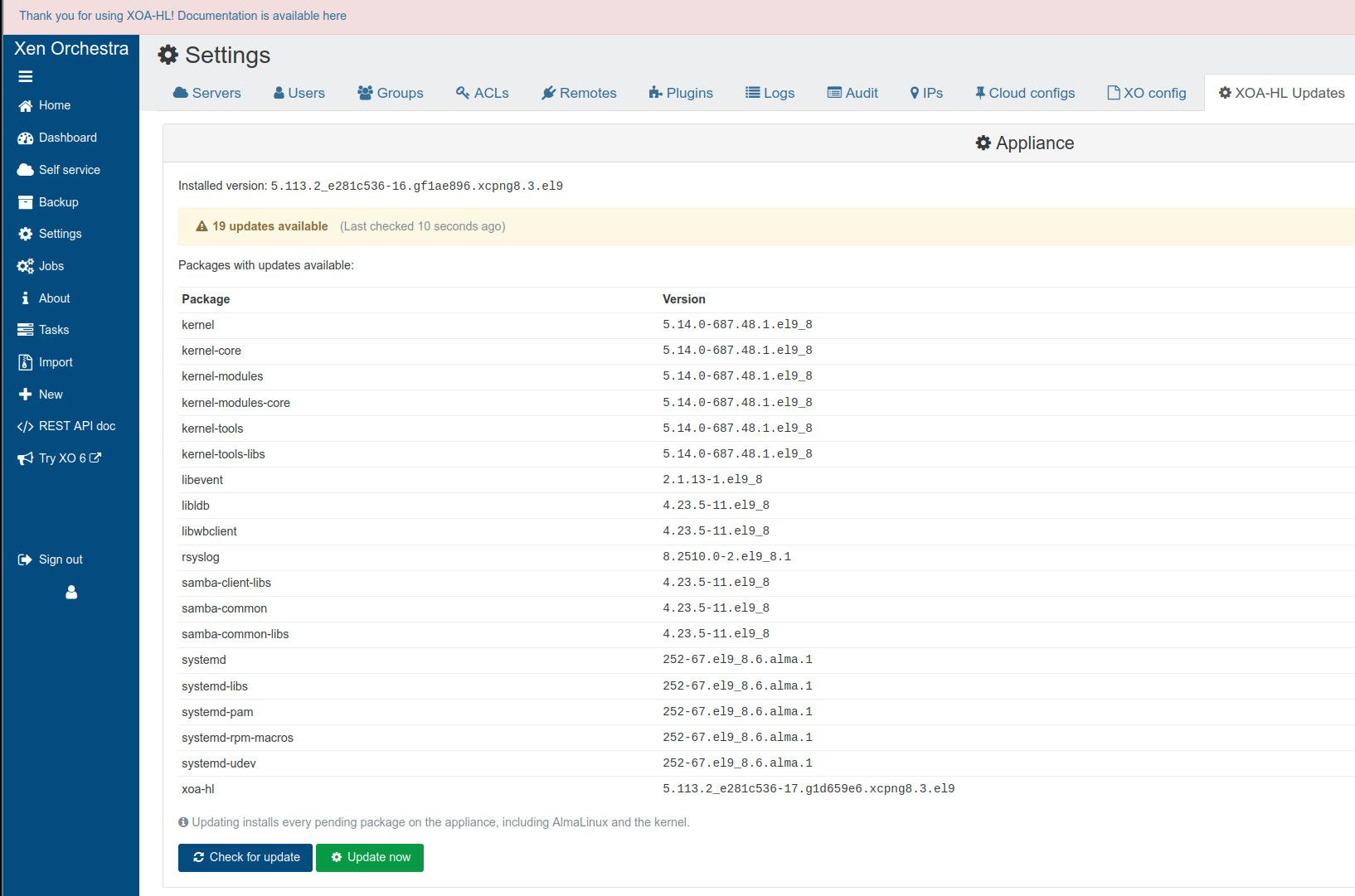
Settings > XOA-HL Updates. It shows the installed version. Until you run a check, the status reads Update status unknown.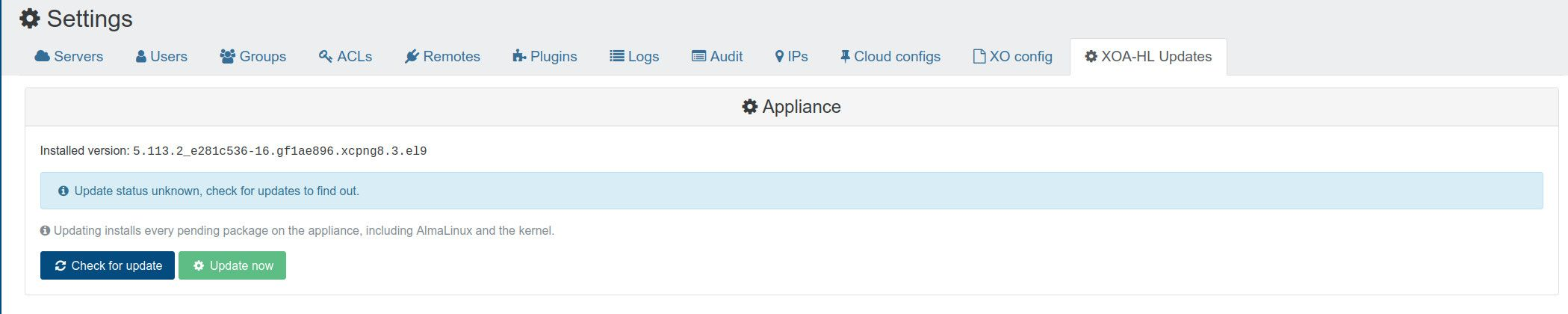
Click Check for update. The page lists every package with an update available, with its version.
Click Update now. The update log streams into the page as it runs. The update restarts xo-server, so the page briefly shows Reconnecting and then carries on by itself.
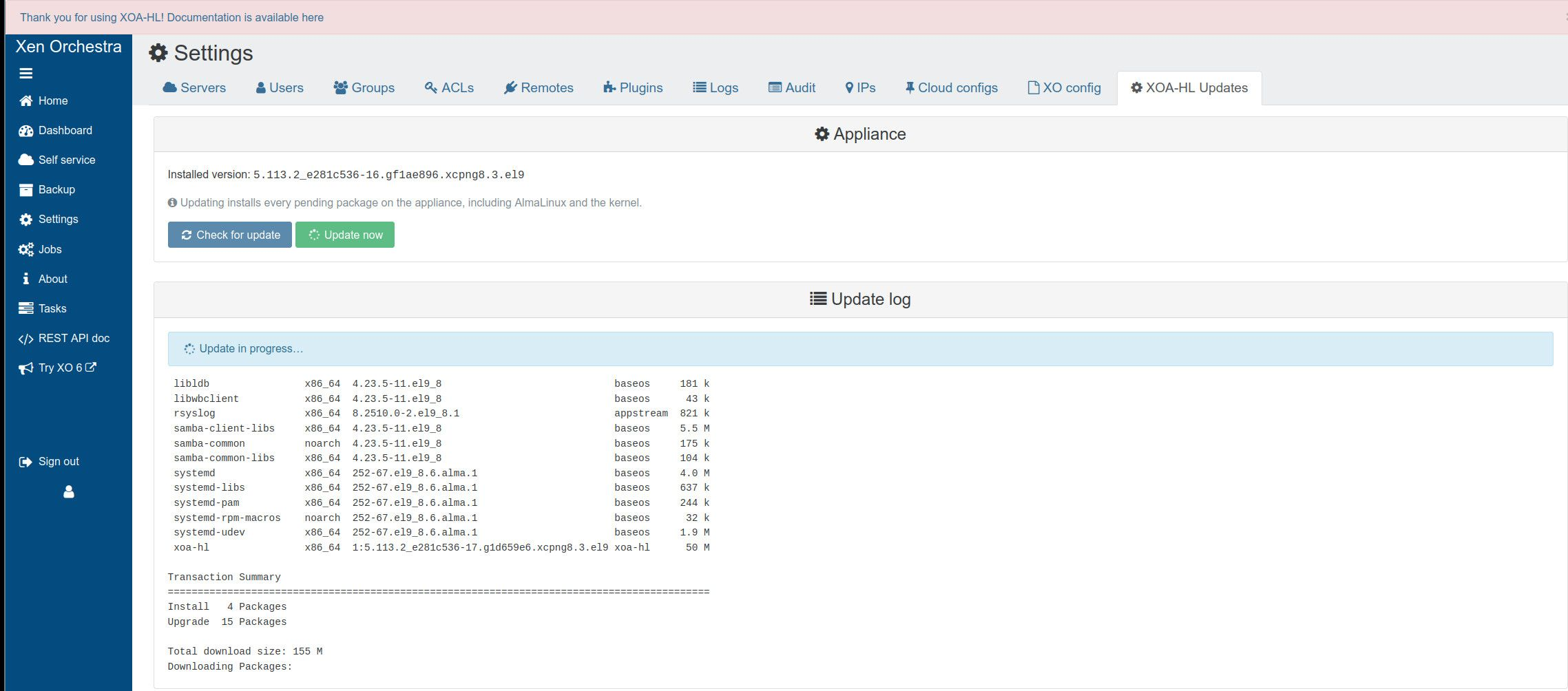 Update now installs every pending package on the appliance, including AlmaLinux and the kernel, not just
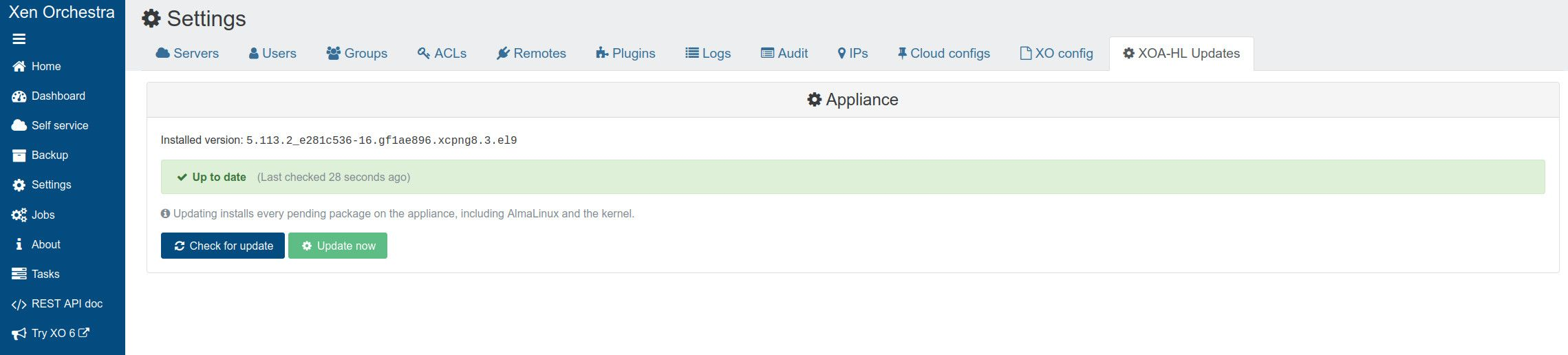
xoa-hl. In ce20, the managed updater excludes Node.js.Done. Once the update finishes, check again: the page reports Up to date.
From the command line
On the appliance:
dnf check-update         # what is available
dnf update xoa-hl        # the appliance application only
dnf update --exclude=nodejs  # the application and the AlmaLinux base together
How it works
The appliance has its own yum repository, defined in
/etc/yum.repos.d/xoa-hl.repo and owned by the xoa-hl package itself:
| Repository ID | Contents | Published from |
|---|---|---|
xoa-hl | xoa-hl | xoa-hl |
The two buttons on the update page start two systemd units:
| Unit | What it does |
|---|---|
xoa-hl-check-update.service | Runs dnf check-update and writes the result to /run/xoa-hl/status |
xoa-hl-update.service | Runs a full dnf -y --refresh --exclude=nodejs update, logging to /var/lib/xoa-hl/update.log |
Automatic checks and updates
In xoa-hl release v5.113.2_e281c536-ce20, Settings → XOA-HL Updates → Automatic updates offers three modes:
| Mode | Behaviour |
|---|---|
| Manual only | An administrator starts checks and installations; this is the default. |
| Check automatically | Scheduled checks refresh the status; installation remains manual. |
| Install automatically | Checks and installs in the configured maintenance window, after explicit confirmation. |
Choose the frequency, day (for weekly schedules), and local start time, then save. Times use the appliance’s timezone, and runs start at the set time with no random delay. Since v5.113.2_e281c536-ce40, a failed automatic run shows as a red banner on the page. Installing or upgrading the RPM does not opt you into automatic installation. Older packages may not show these controls: check the installed version first.
The managed updater excludes Node.js, so its supported major version does not change. Updates can restart services, including xo-server. There is no automatic reboot; a missed installation window is not replayed immediately after boot. Check the result and arrange any necessary reboot yourself. See the versioned scheduling reference for command-line configuration and diagnostics.
Rolling back
Older packages may be listed by the currently enabled repositories:
dnf --showduplicates list xoa-hlAvailability changes over time. For v5.113.2_e281c536-ce40, package downgrade and cross-version configuration recovery have not been validated as appliance recovery procedures. A downgrade does not reverse base-OS updates or restore XO data and operator files. Prepare an export and an isolated recovery test using the configuration guide before planning a rollback.
Verification and trust
Packages and repository metadata for both XCP-hl and XOA-hl are signed
with the XCP-hl GPG key. The client configuration sets repo_gpgcheck=1
with gpgcheck=0.
The RPMs are signed by a GPG subkey, not the master key, and the
rpm tool on XCP-ng 8.3’s host system (version 4.11) has a known
limitation here: when you import a key it only registers the master key,
so it reports NOKEY for a subkey’s signature and can’t verify the
package directly, even though the signature is genuine.
Trust runs through the repository metadata instead. The real GPG tool,
which does understand subkeys, verifies repomd.xml. That file records a
checksum of primary.xml, which in turn records a checksum of every
package, so verifying one file, repomd.xml, verifies every RPM in the
repository.
Known limitations
For the appliance scope reviewed at v5.113.2_e281c536-ce40, interruption recovery and downgrade behavior still need disposable-lab validation. Use the maintenance guide for result checks and reboot decisions.